Mobile App Accelerator

Redesign

Duration

2 months

My role

Lead UI/UX Designer

Tools

Figma

Project Summary

Mobile App Accelerator is a paid add-on functionality of AgilePoint NX product that includes a low-code app development platform that enables people to create custom-branded native enterprise mobile applications for iOS and Android devices without writing any code. They can then deliver their apps to business users within a matter of a few minutes. Business users can use these apps to view and manage tasks and processes on mobile devices.

Mobile App Accelerator is a paid add-on functionality of AgilePoint NX product that includes a low-code app development platform that enables people to create custom-branded native enterprise mobile applications for iOS and Android devices without writing any code. They can then deliver their apps to business users within a matter of a few minutes. Business users can use these apps to view and manage tasks and processes on mobile devices.

Mobile App Accelerator is a paid add-on functionality of AgilePoint NX product that includes a low-code app development platform that enables people to create custom-branded native enterprise mobile applications for iOS and Android devices without writing any code. They can then deliver their apps to business users within a matter of a few minutes. Business users can use these apps to view and manage tasks and processes on mobile devices.

Key features

Create your mobile enterprise app with your company name in a matter of minutes

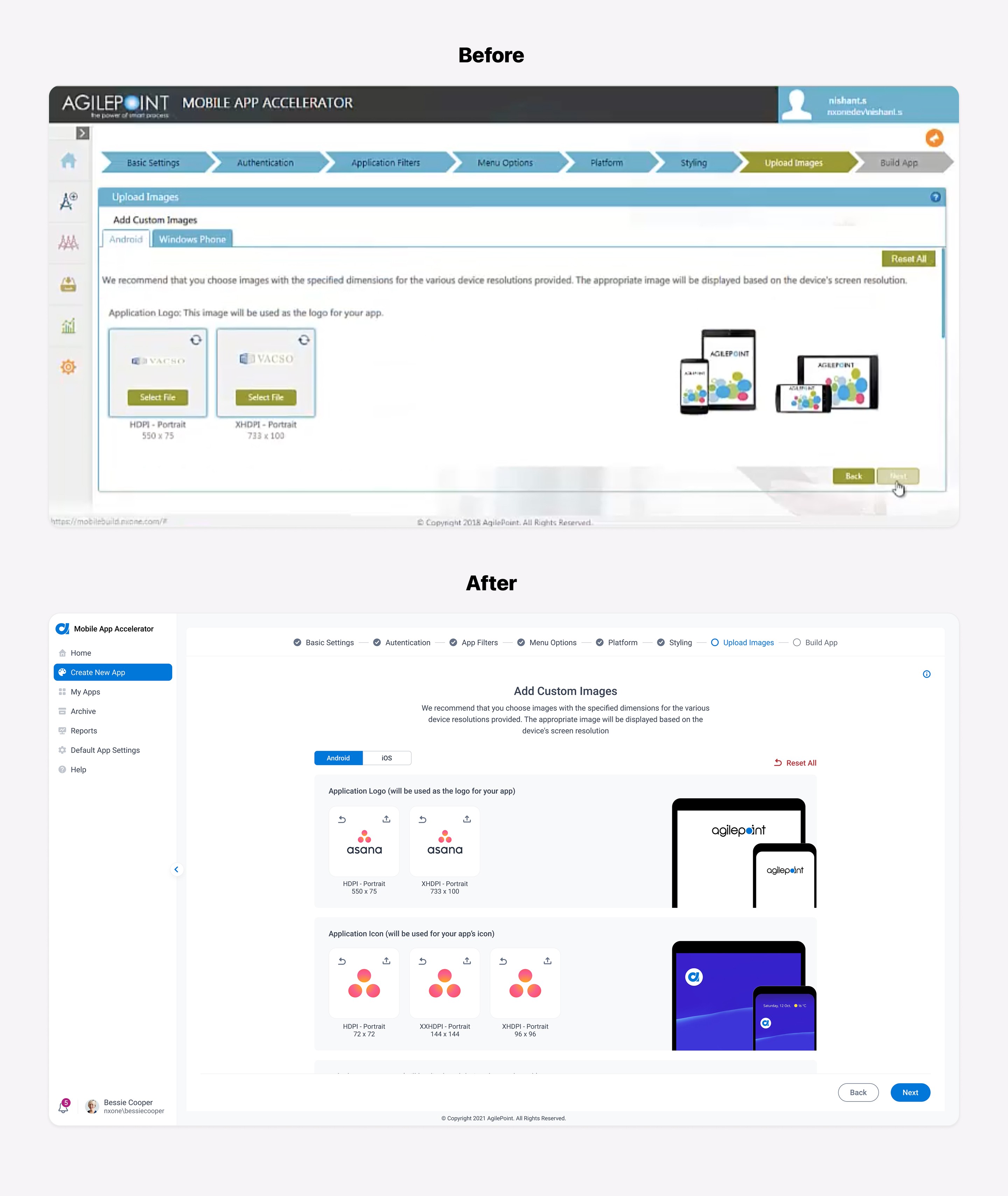
Customize your app with logos, colors, and images to match your company’s branding

Significantly simplify app configuration for employees by pre-configuring the app with your org-wide settings

Ability to define custom app menu and filter, which enables you to create multiple department-specific apps for, e.g., list apps for HR, Finance, Employees, etc.

Problem

  • The UI needs to be updated to follow the new branding and match the rest of the AgilePoint NX product

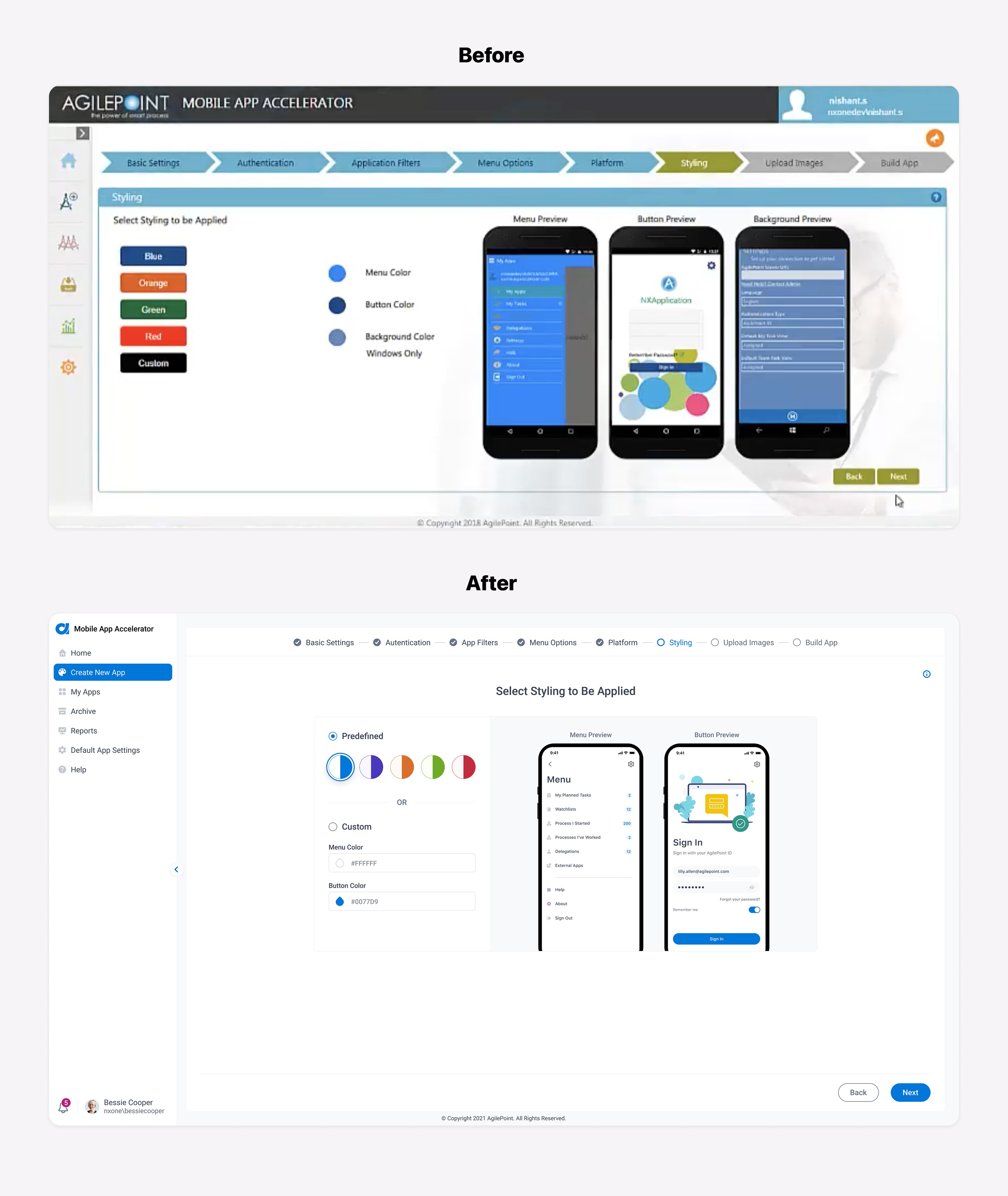
  • We wanted to improve and increase usability and consistency
Process

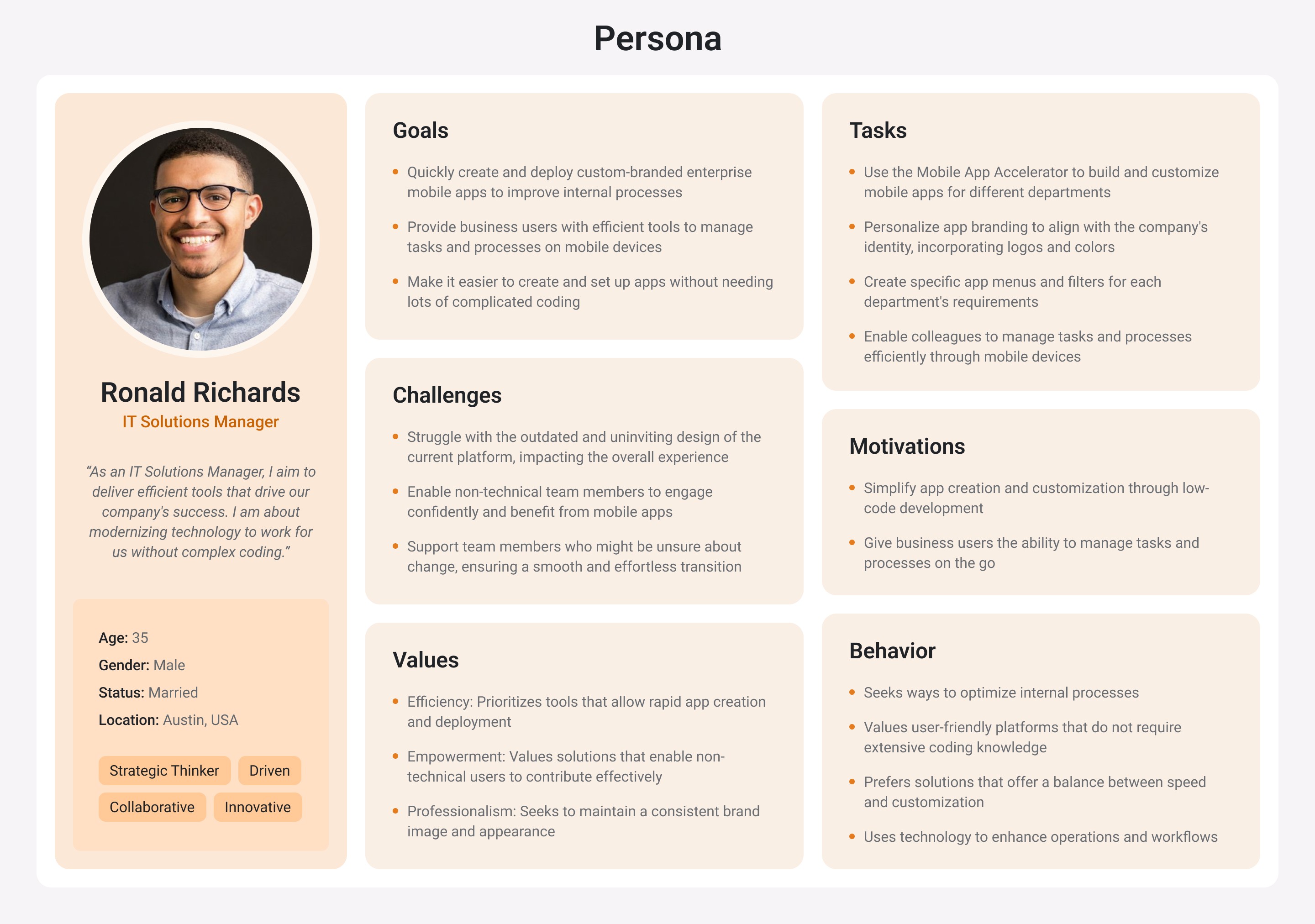
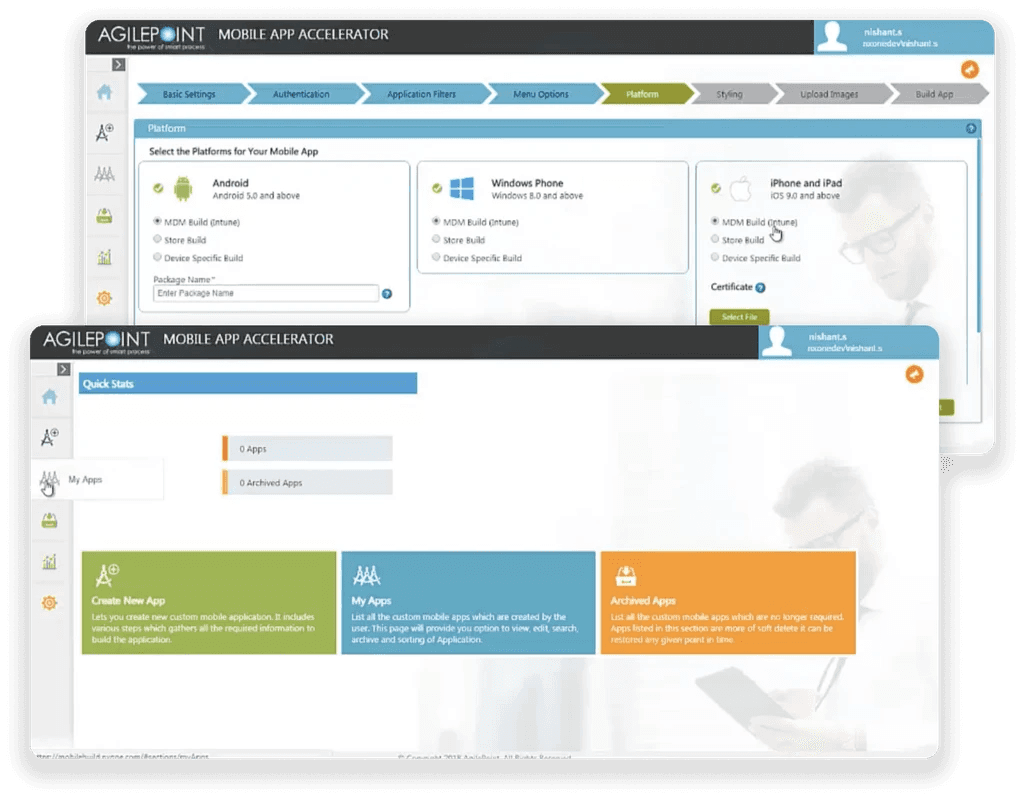
I first started by exploration of each screen of Mobile App Accelerator in detail to better understand how it works from our customer's perspective. At this stage, I worked closely with stakeholders to define the project's scope and decided to jump straight to the visual design since we kept all of the existing functionality and had a limited time frame for this project.


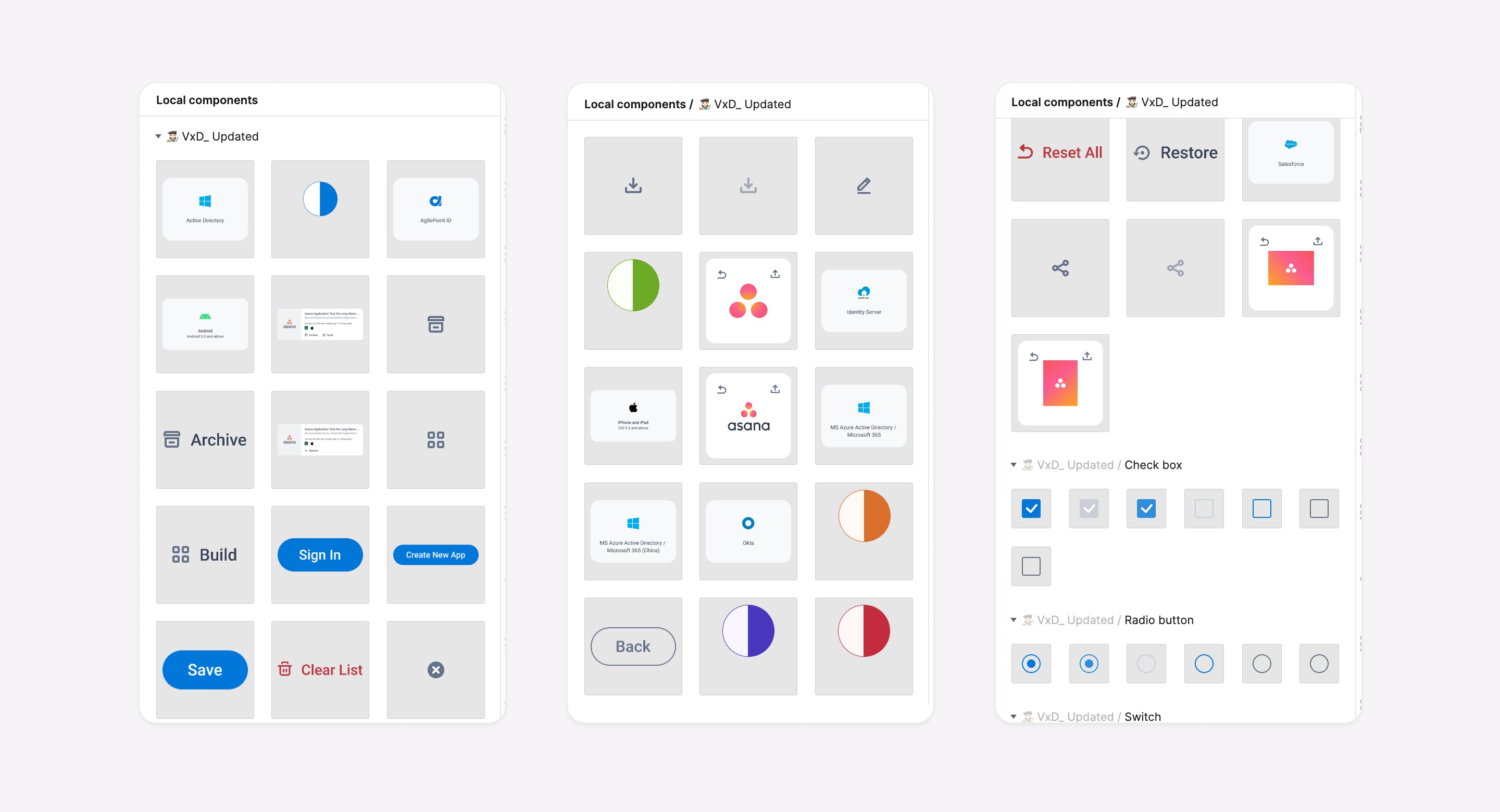
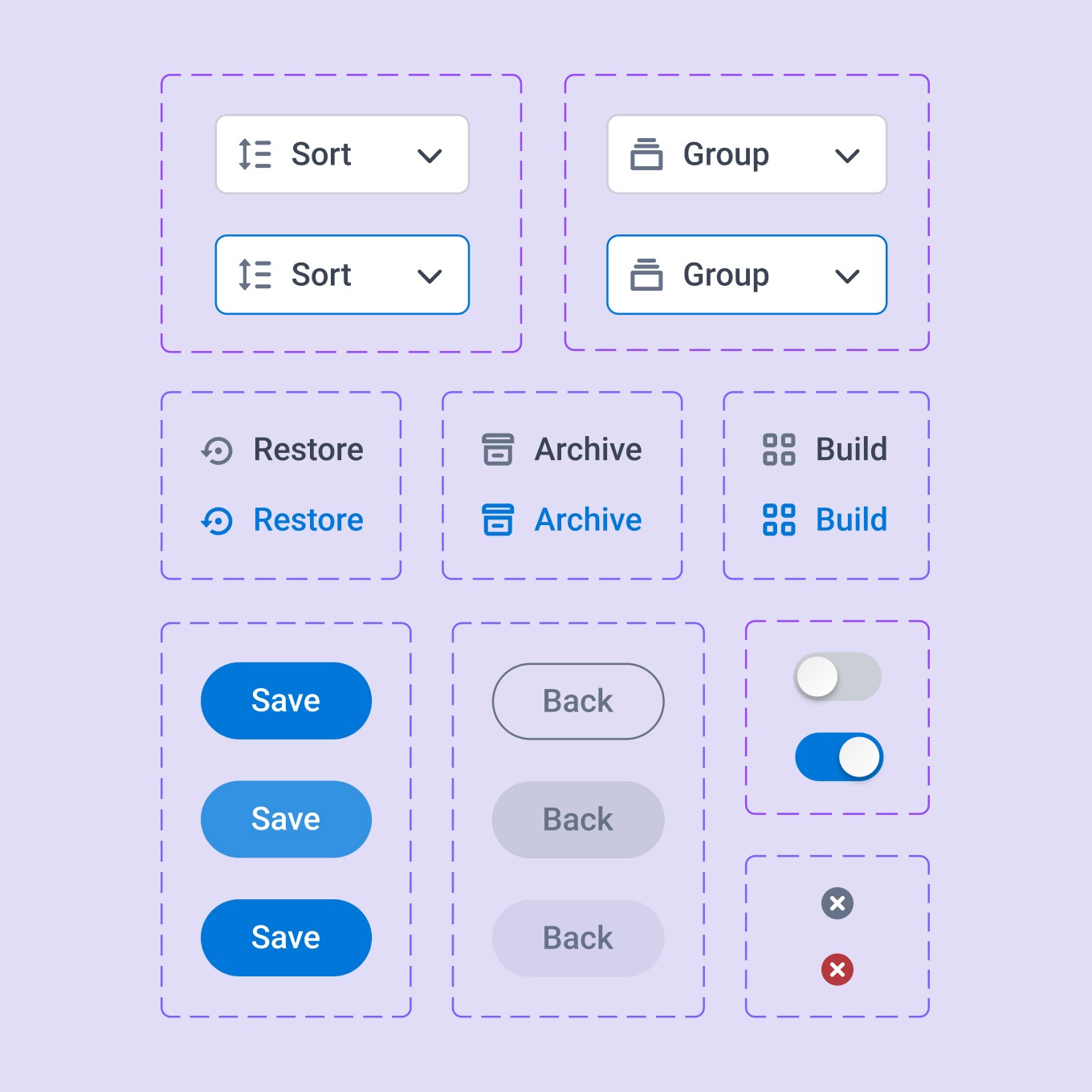
The design system we created earlier helped me simplify the visual design process for this project by using predefined components and maintaining consistency:
Solution

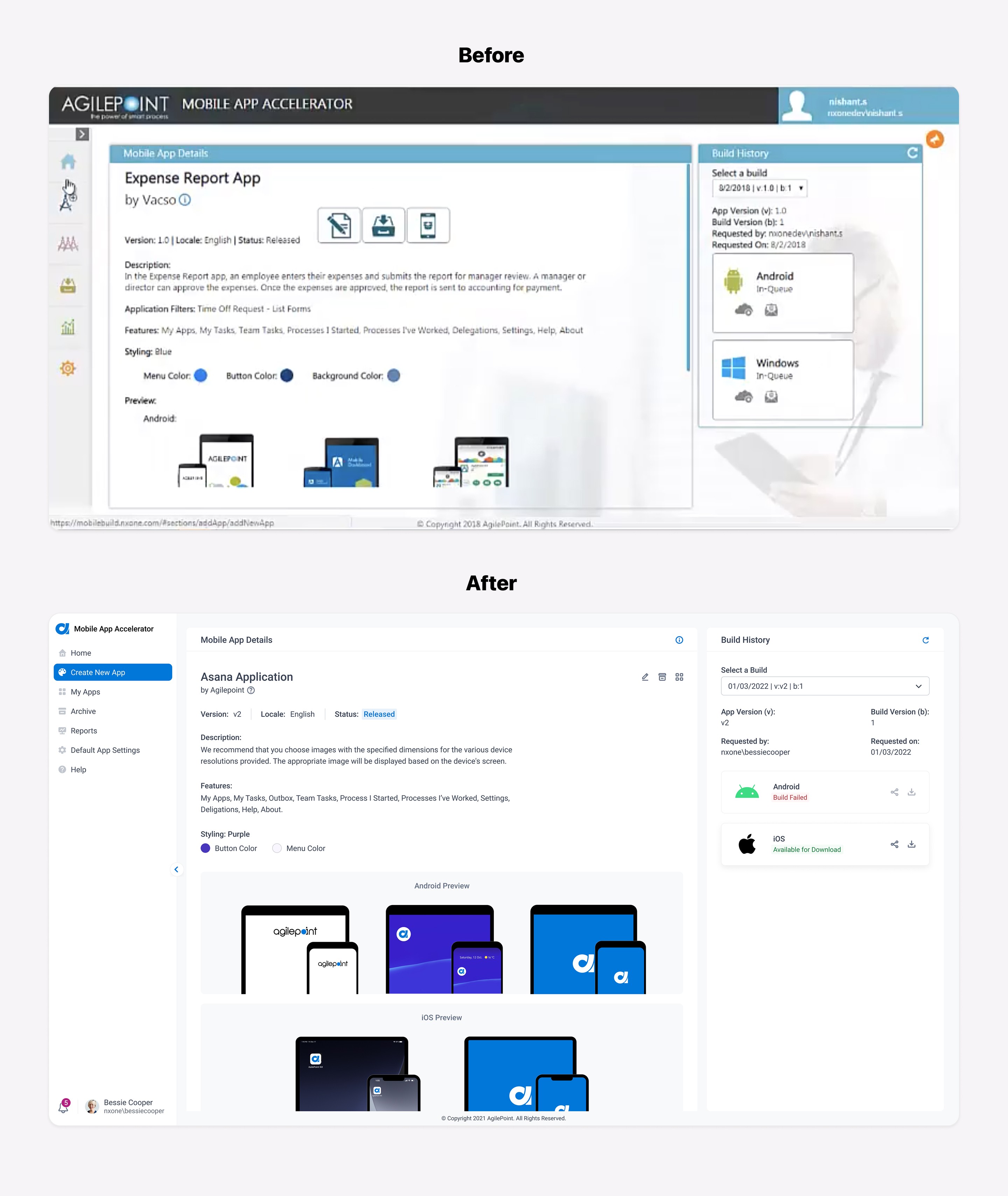
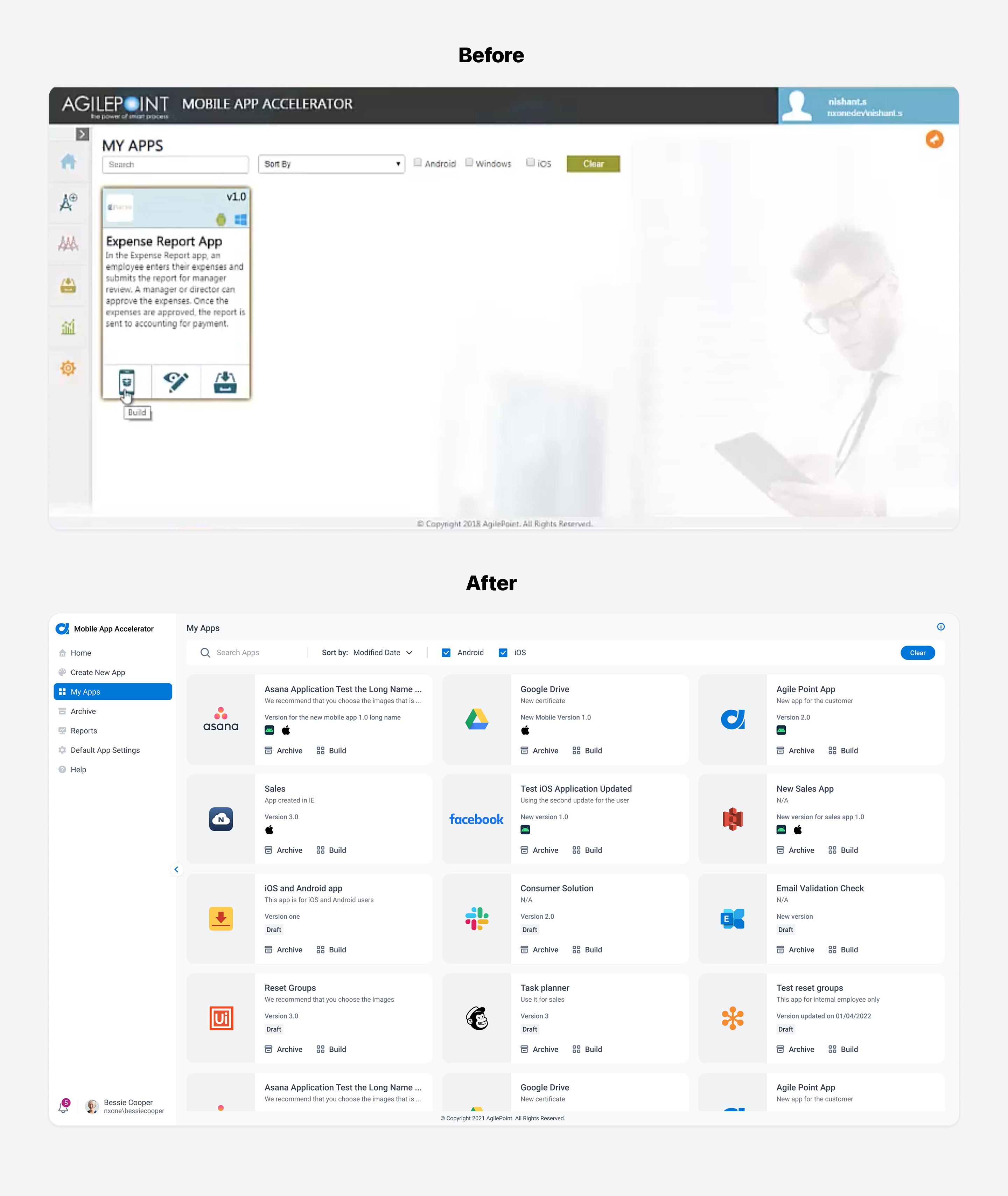
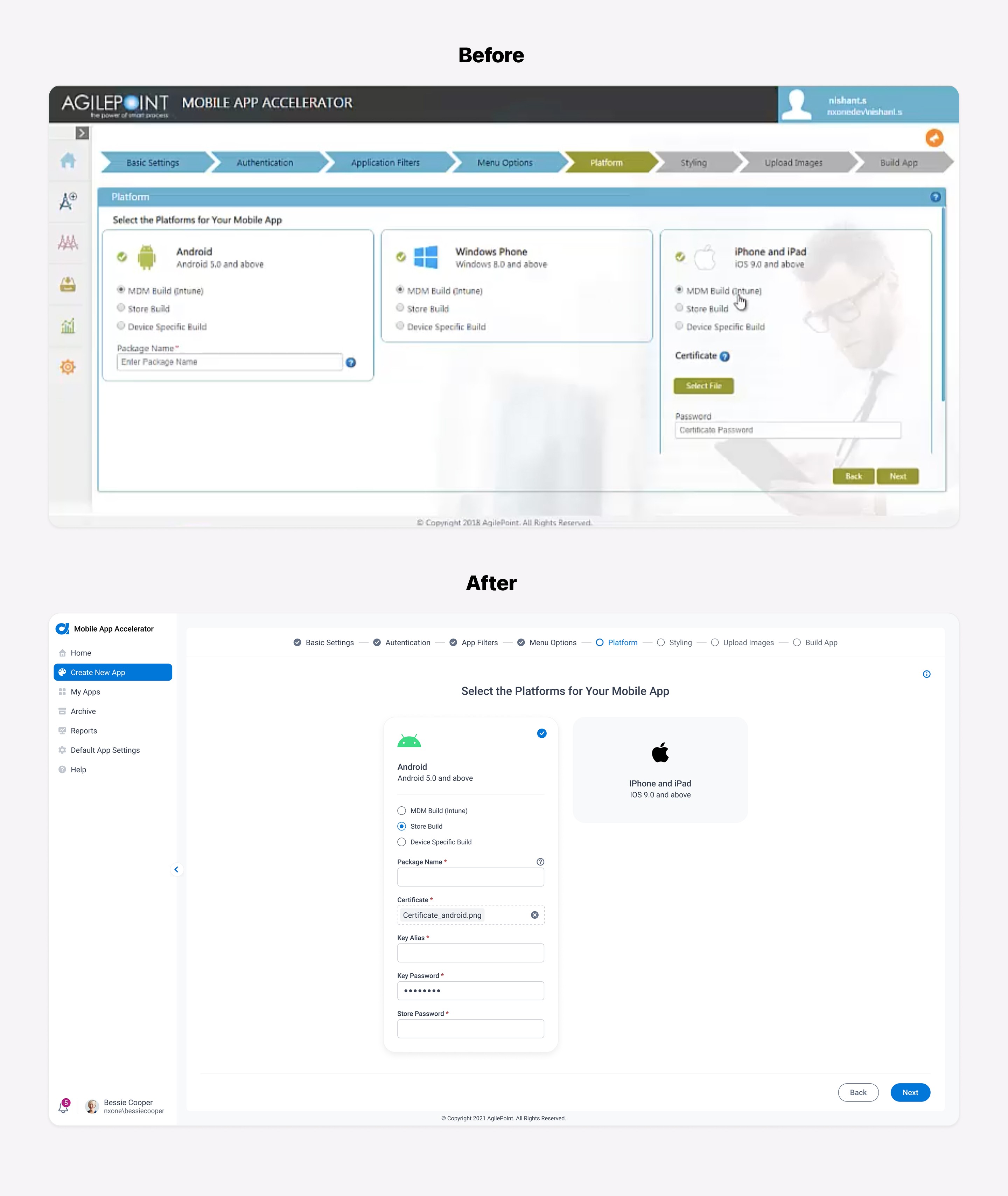
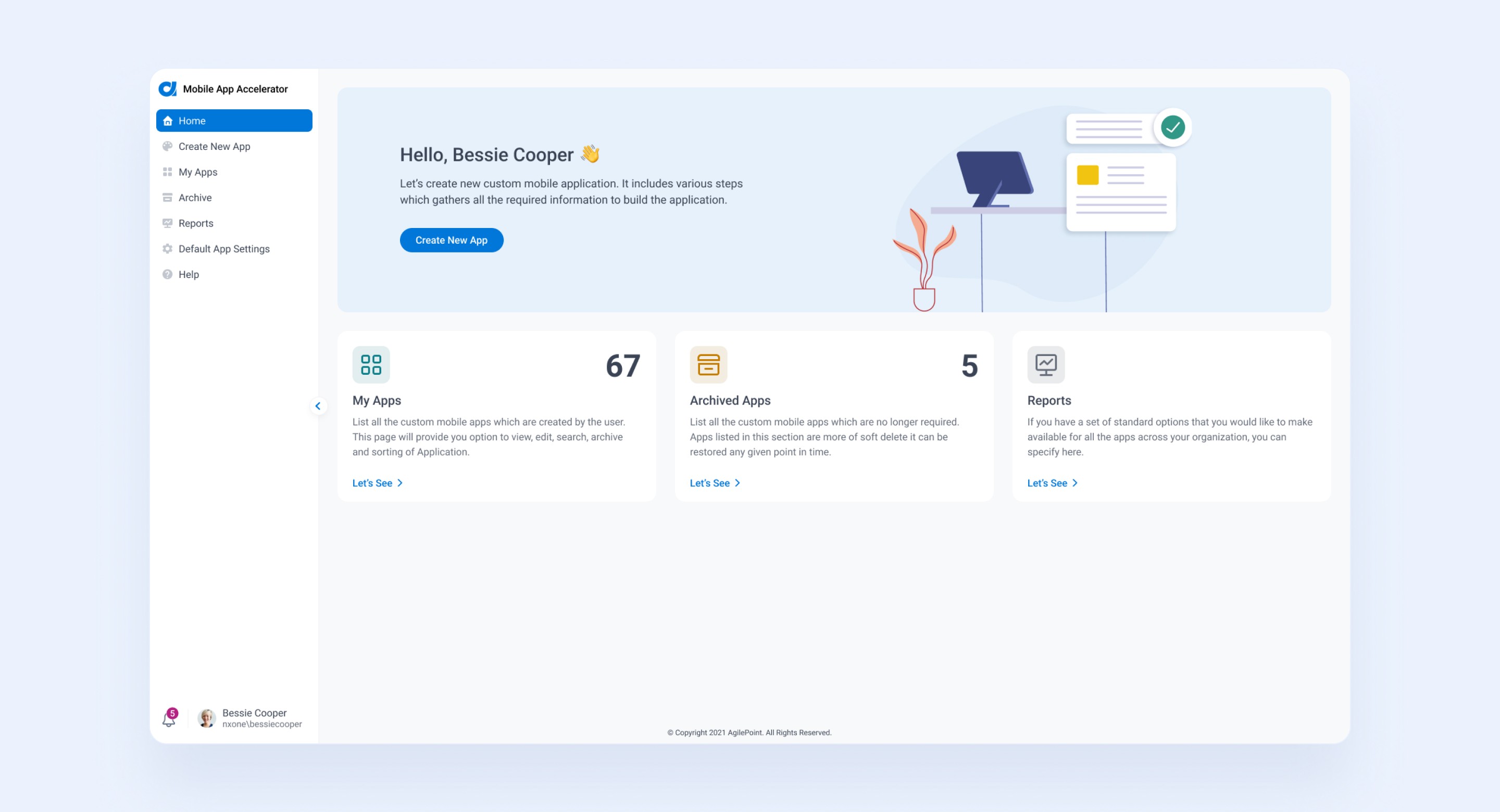
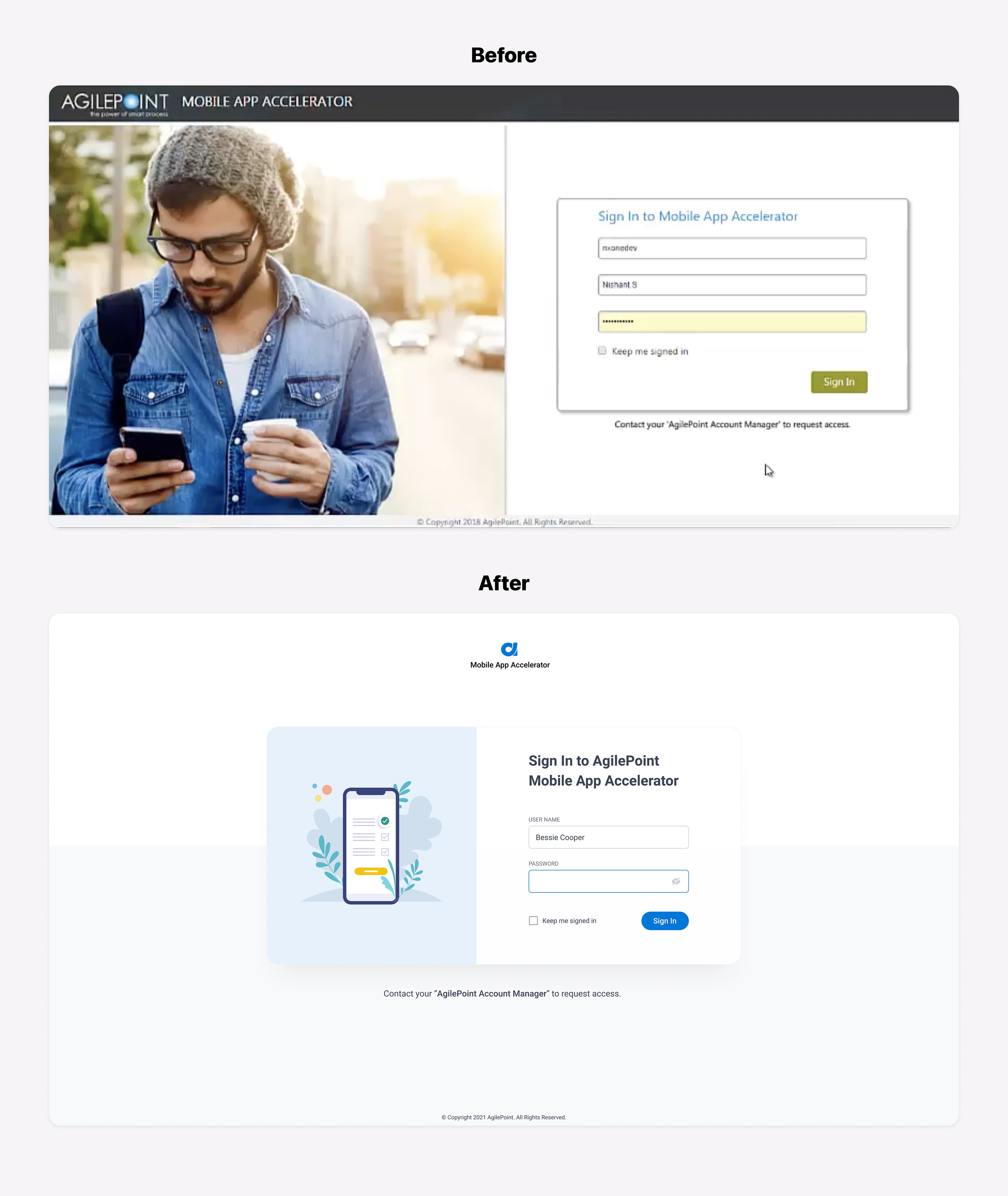
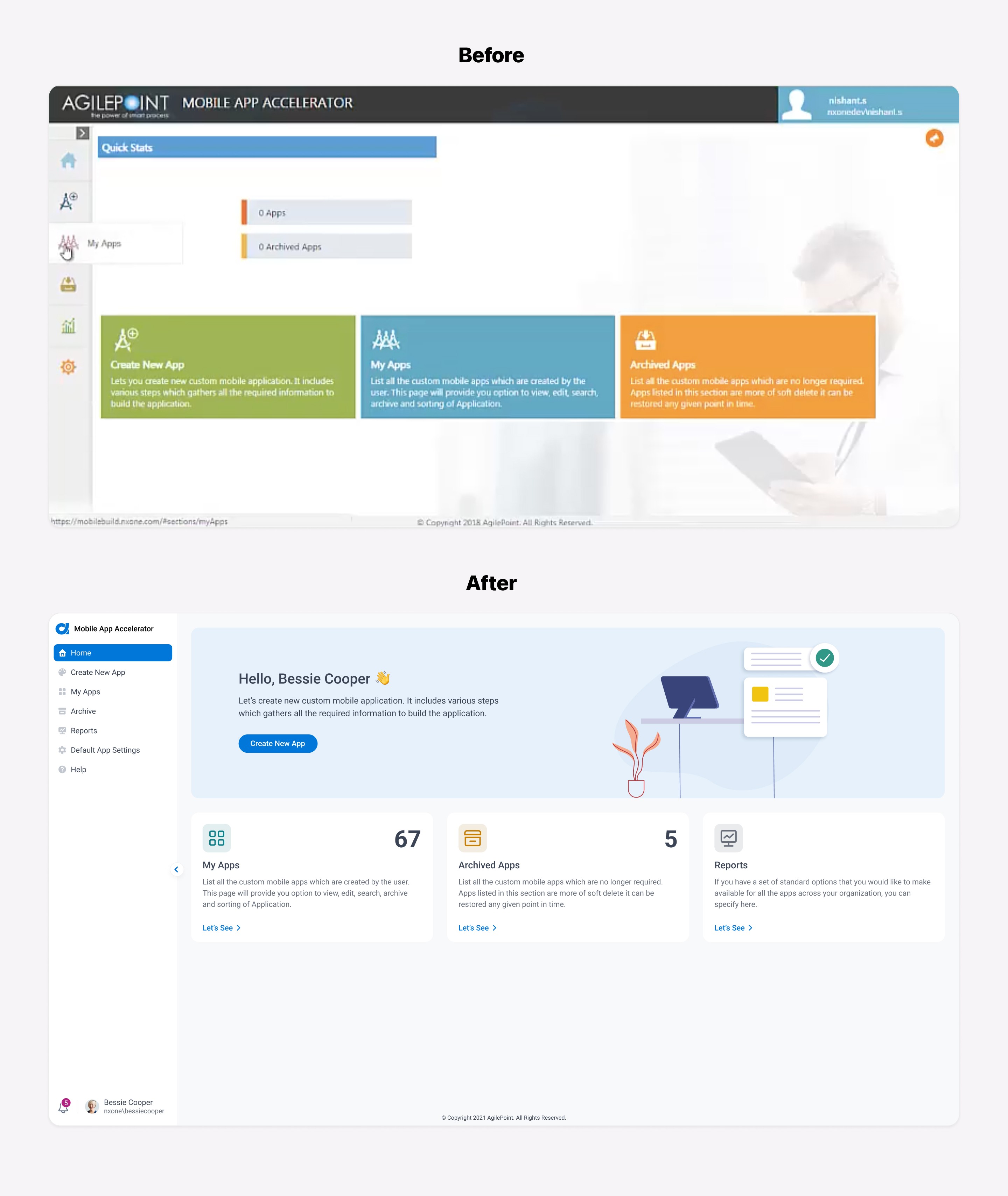
Moving forward with the process, I turned my ideas on improving usability and consistency into Hi-Fi prototypes. Below are the screens comparison showing before and after:
Final Clickable Prototype

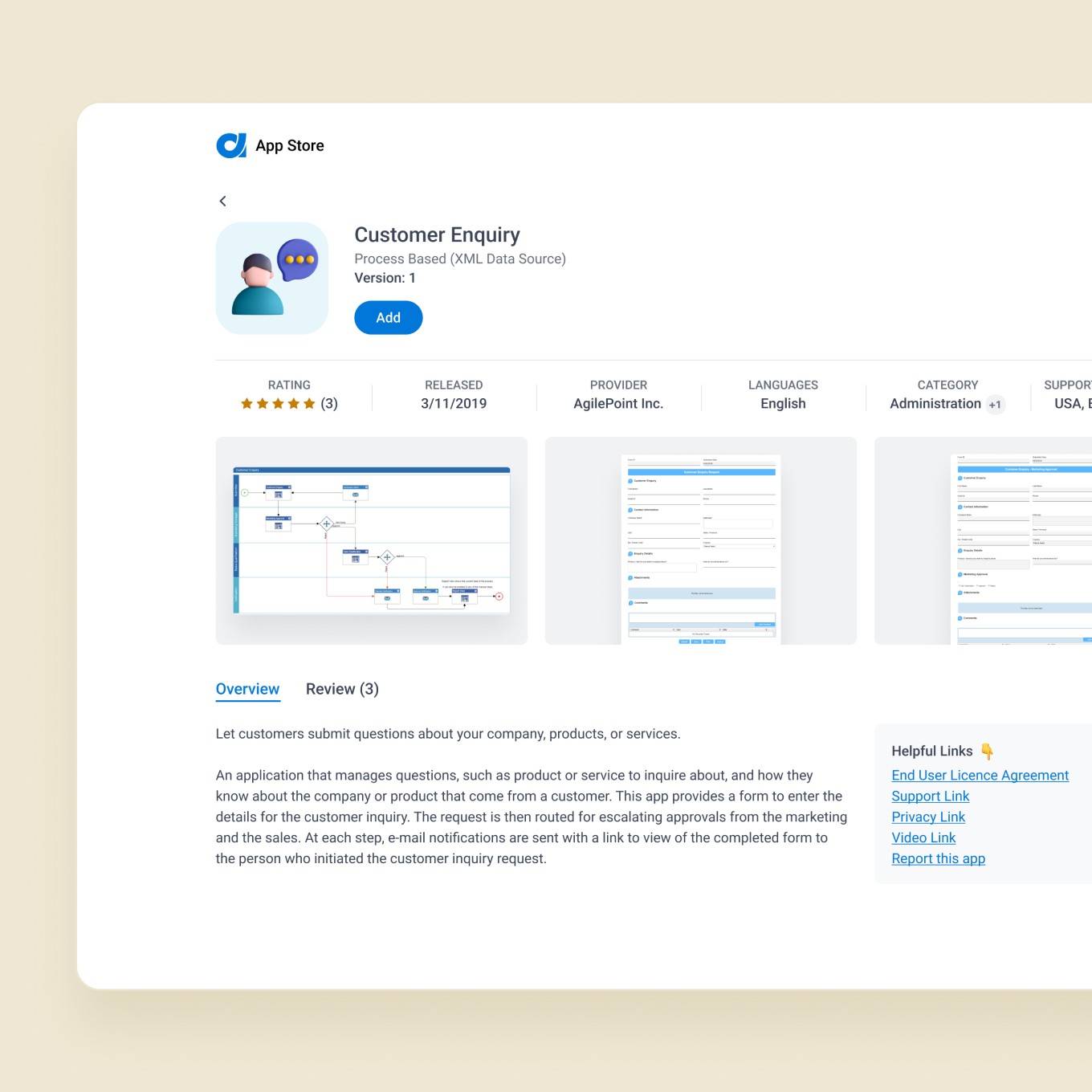
During the process of redesign, I continued referring to the company mission and my goal to focus on how to improve the user experience. I created the clickable prototype and asked the teammates to taste it to collect all opinions. After a few rounds of iterations, I was able to finalize the prototype:

Outcomes

As a result of this redesign, the Mobile App Accelerator got a fresh new look that matched the rest of the product. We received positive feedback from selected customers who tested it during the delivery stage. In our sessions on creating applications using this functionality, we noticed that improved usability helps customers understand how it works quickly.


Our next step is to gather more feedback from customers to ensure they have the best experience when using this functionality once it is launched.
Key Learning

User Feedback, Better Experience

Actively listening to users and integrating their feedback improved the app’s overall user experience and ultimately contributed to a more successful product.

User Feedback, Better Experience

Actively listening to users and integrating their feedback improved the app’s overall user experience and ultimately contributed to a more successful product.

User Feedback, Better Experience

Actively listening to users and integrating their feedback improved the app’s overall user experience and ultimately contributed to a more successful product.

Iterate to Innovate

Exploring many ideas and iterating through multiple revisions was essential to refine the design. This process ensured the final solution truly met user needs and aligned with business goals.

Iterate to Innovate

Exploring many ideas and iterating through multiple revisions was essential to refine the design. This process ensured the final solution truly met user needs and aligned with business goals.

Iterate to Innovate

Exploring many ideas and iterating through multiple revisions was essential to refine the design. This process ensured the final solution truly met user needs and aligned with business goals.

Design with Purpose

Keeping the project’s core goals and the end users’ needs in focus throughout the redesign was vital. This clear purpose guided decisions and ensured the final product was effective and met its intended outcomes.

Design with Purpose

Keeping the project’s core goals and the end users’ needs in focus throughout the redesign was vital. This clear purpose guided decisions and ensured the final product was effective and met its intended outcomes.

Design with Purpose

Keeping the project’s core goals and the end users’ needs in focus throughout the redesign was vital. This clear purpose guided decisions and ensured the final product was effective and met its intended outcomes.

Consistent Design, Cohesive Experience

Maintaining a consistent design language in line with the new branding created a unified look and feel across the product. A cohesive interface not only reinforced the brand identity but also made the app more intuitive for users.

Consistent Design, Cohesive Experience

Maintaining a consistent design language in line with the new branding created a unified look and feel across the product. A cohesive interface not only reinforced the brand identity but also made the app more intuitive for users.

Consistent Design, Cohesive Experience

Maintaining a consistent design language in line with the new branding created a unified look and feel across the product. A cohesive interface not only reinforced the brand identity but also made the app more intuitive for users.